
Cleanzo
A deep cleaner for macOS — it only deletes confirmed junk, and proves it.
Cleanzo currently runs on Apple silicon Macs (M1 and later) only. Intel Macs are not supported yet — see GitHub for source and plans.
Cleanzo is a macOS app and doesn't run on Windows. See GitHub for future platform plans.
Cleanzo is a macOS app and doesn't run on Linux. See GitHub for future platform plans.
Desktop app — open this page on a Mac to download the dmg.
Recommended for Apple silicon. If you're on an Intel Mac, check your model first (not supported yet).
001 / 007
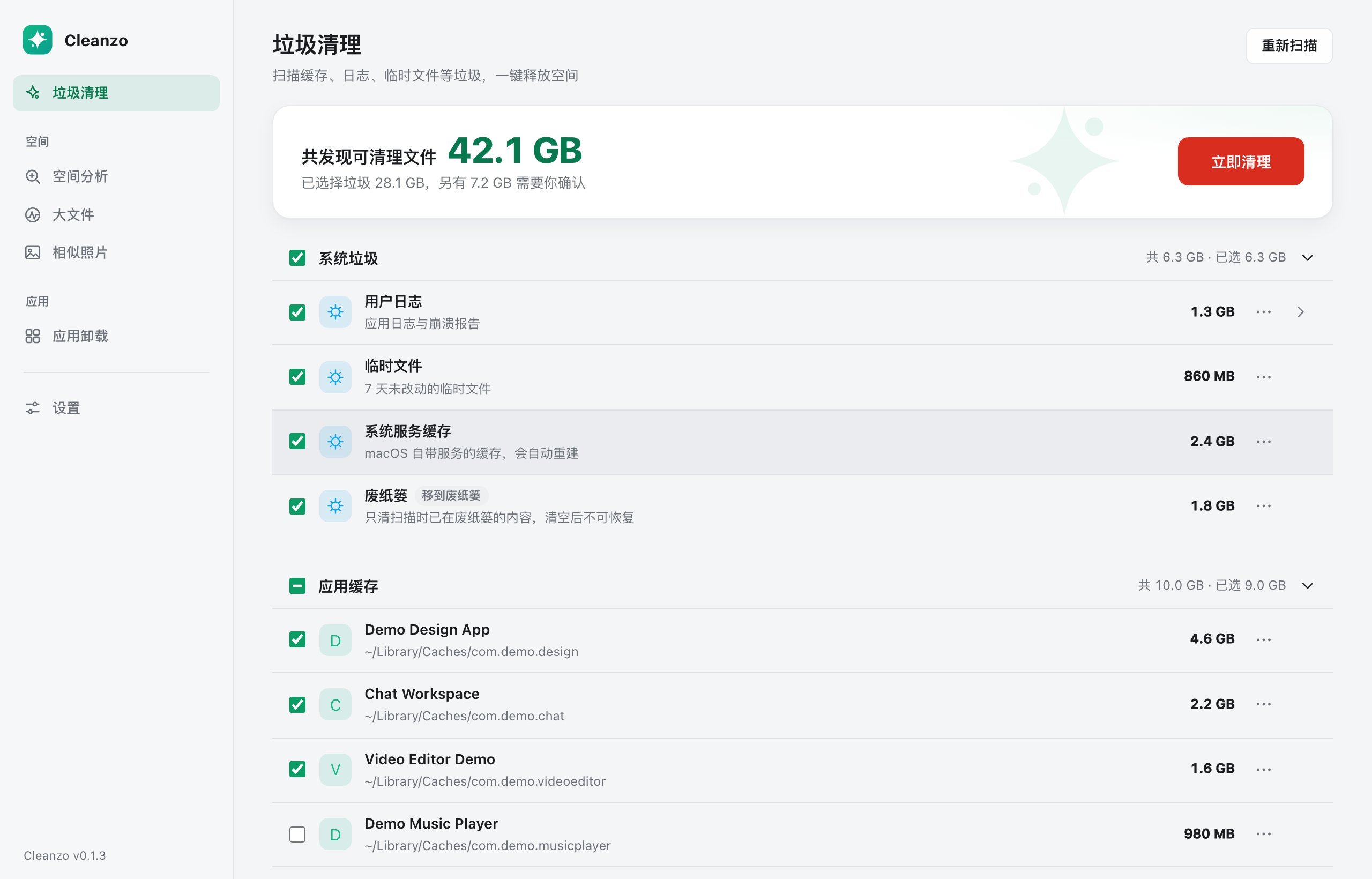
Junk clean
Scan with grouped built-in rules, review each item and check what to clean — you know exactly how much space you'll free before you do.
 点击放大
点击放大
002 / 007
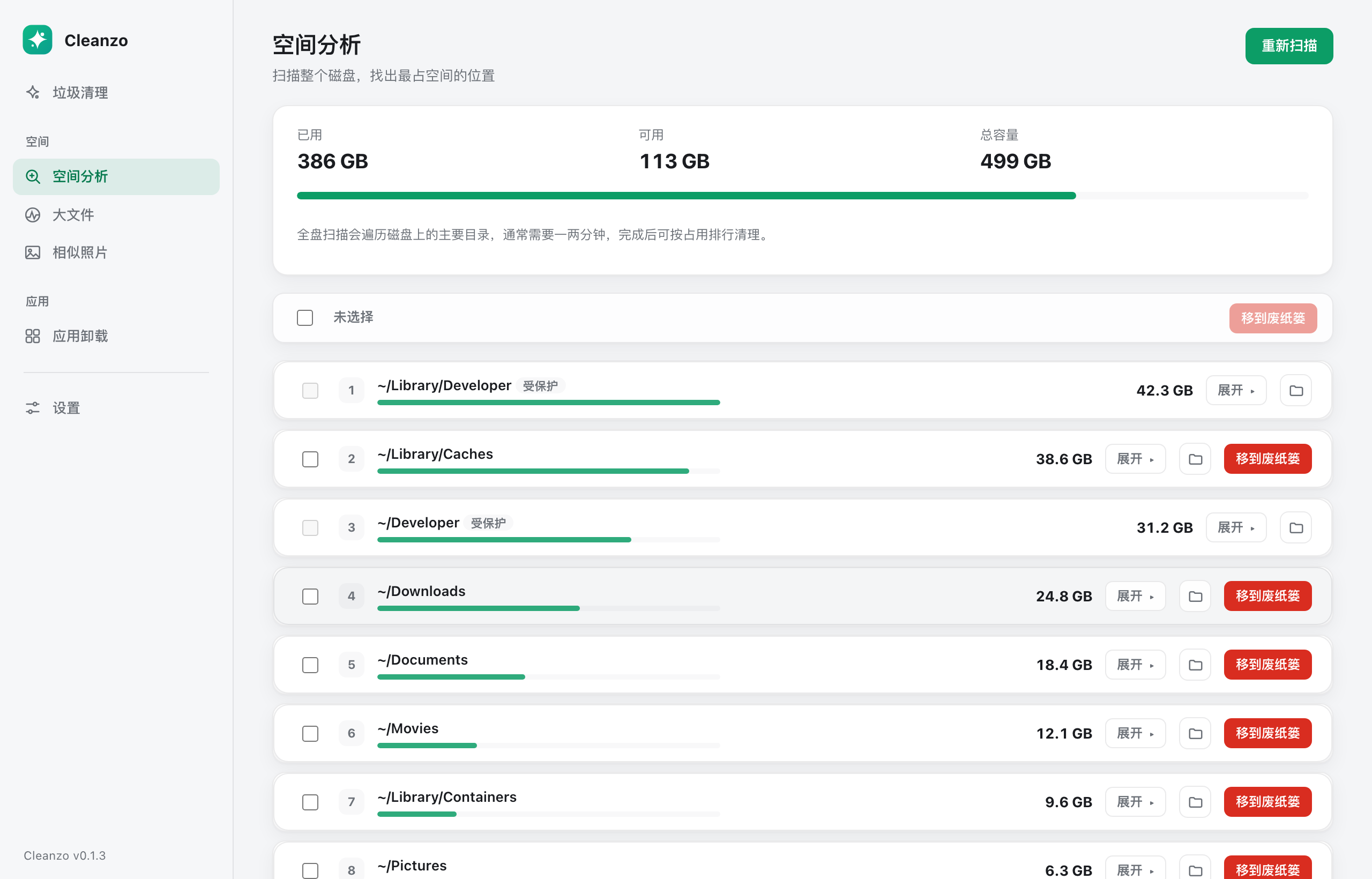
Space analysis
Lay your disk out as a drillable map to see exactly where the space went — no needle-in-haystack hunting.
 点击放大
点击放大
003 / 007
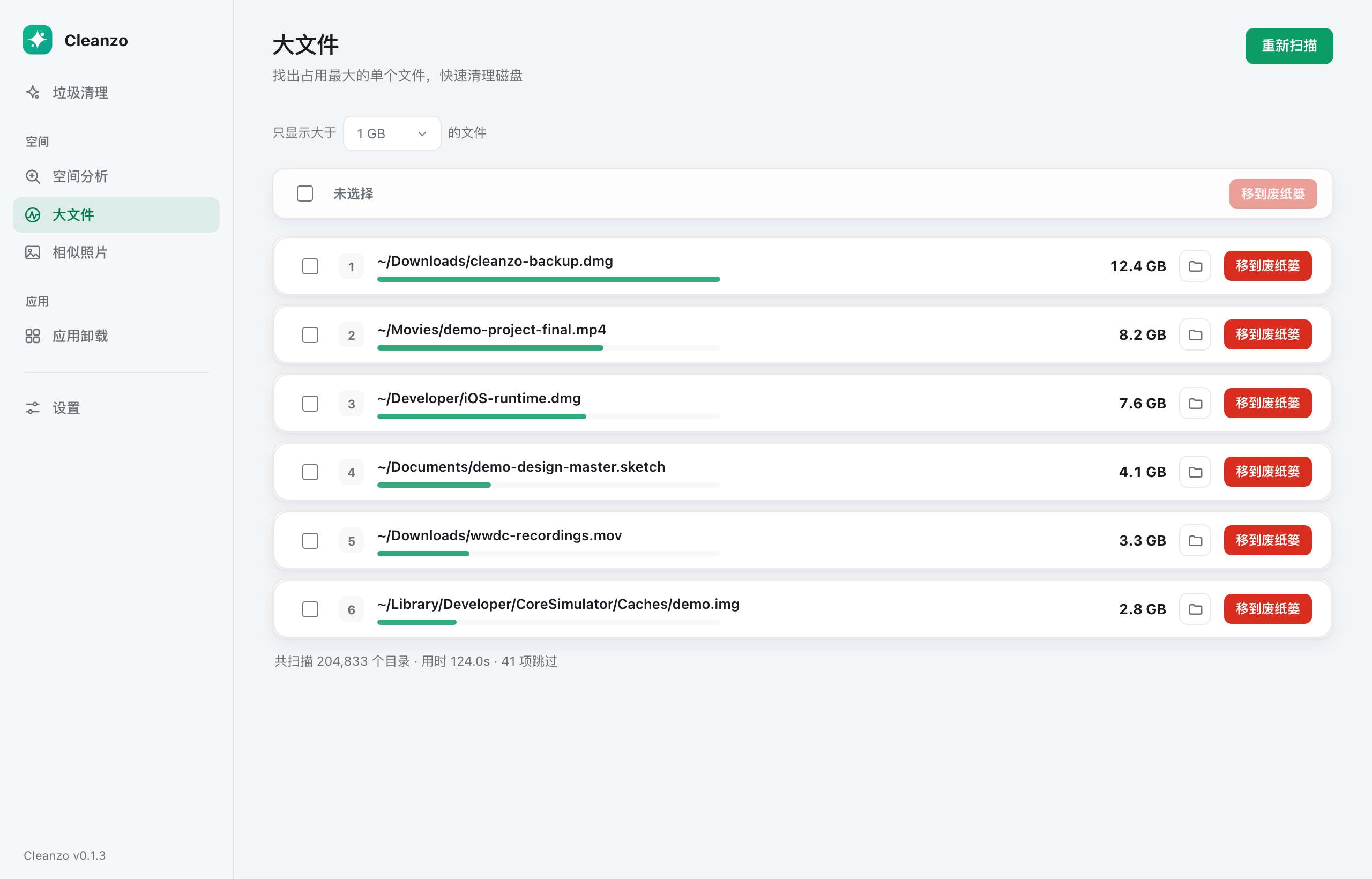
Large files
List your biggest files at once, sorted by size and filterable by type or modified time — deal with the space hogs fast.
 点击放大
点击放大
004 / 007
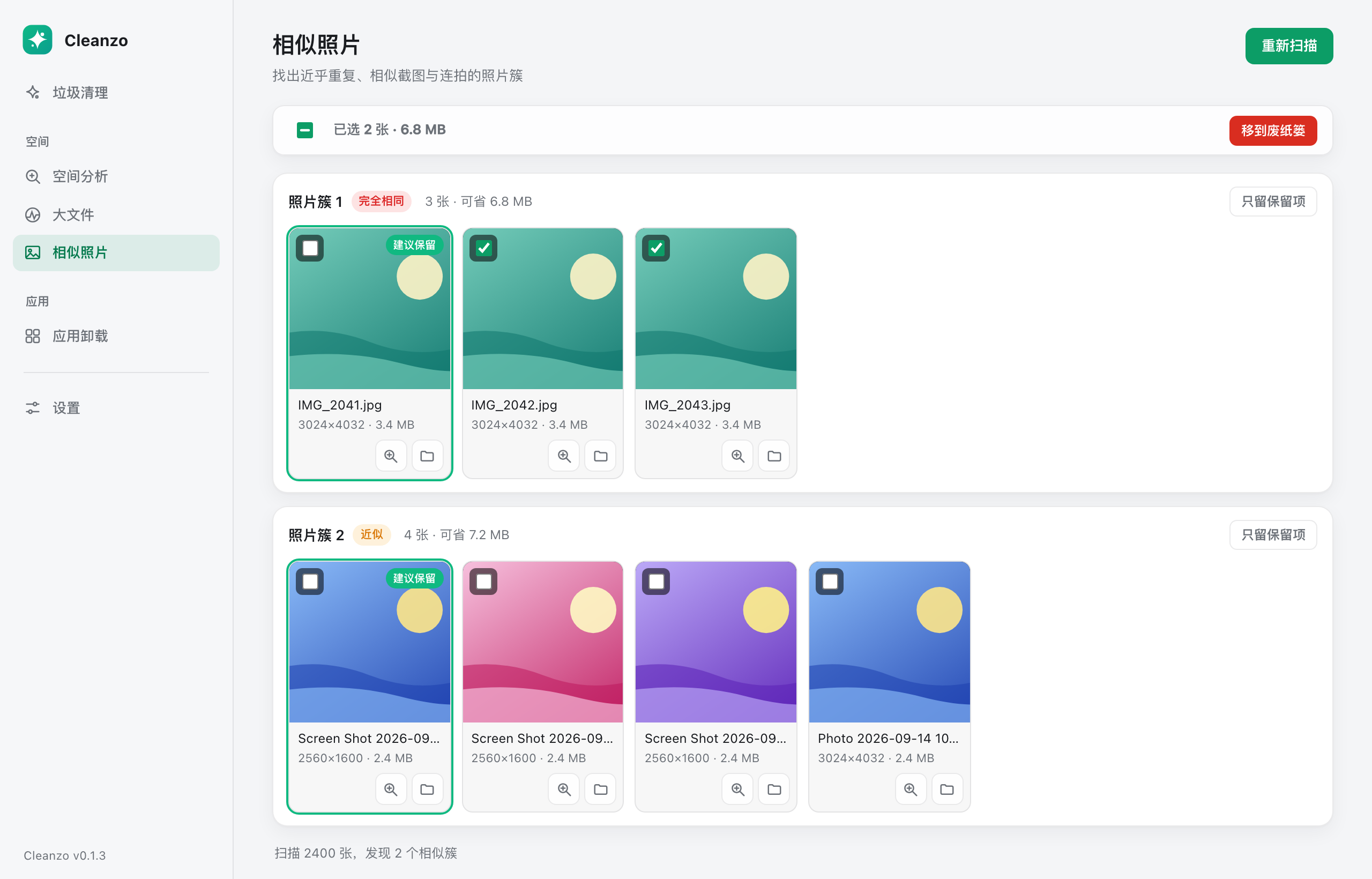
Similar photos
Find similar shots and bursts as groups, compare side by side, then clean in batches — originals and favorites are never touched.
 点击放大
点击放大
005 / 007
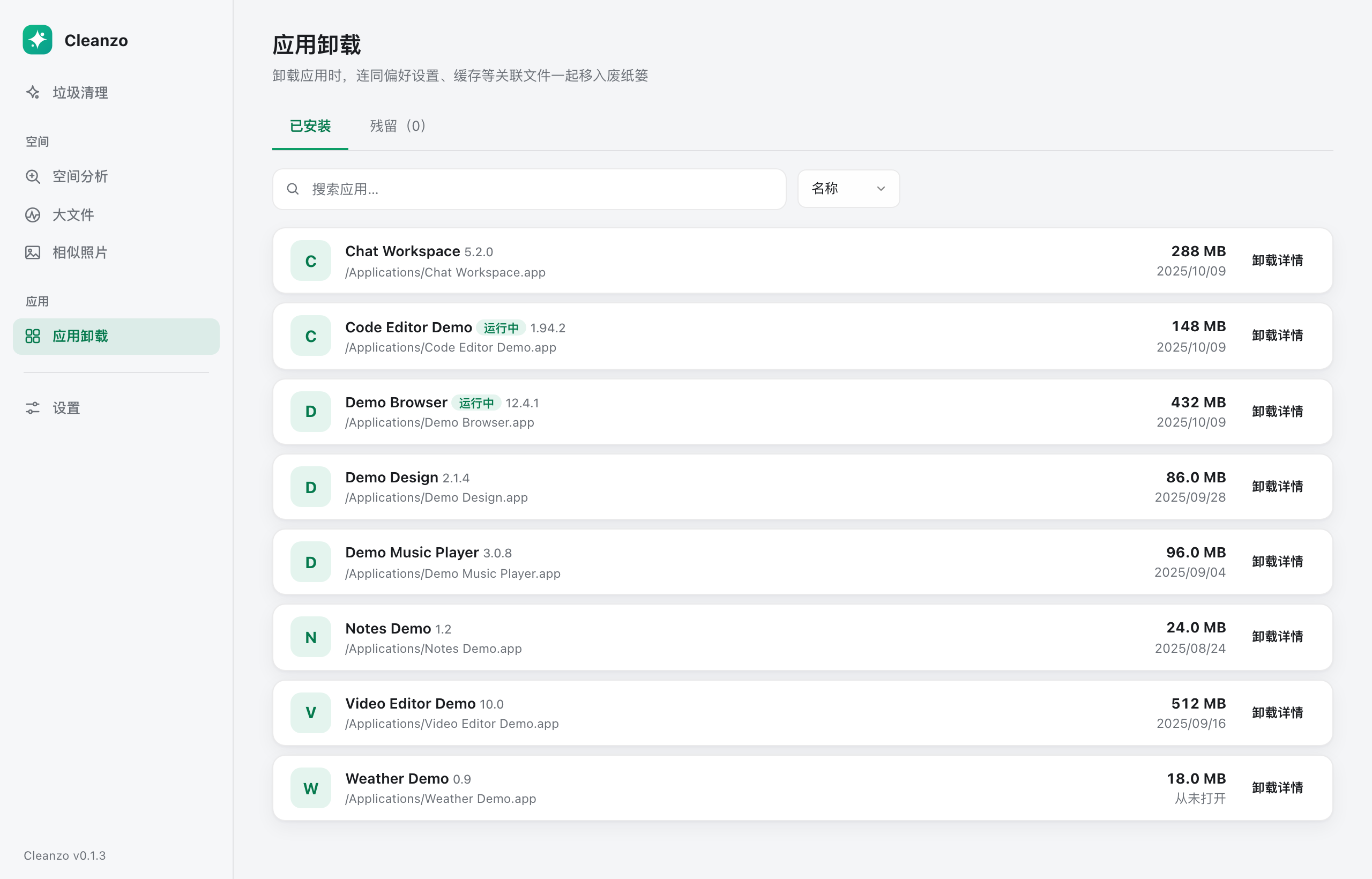
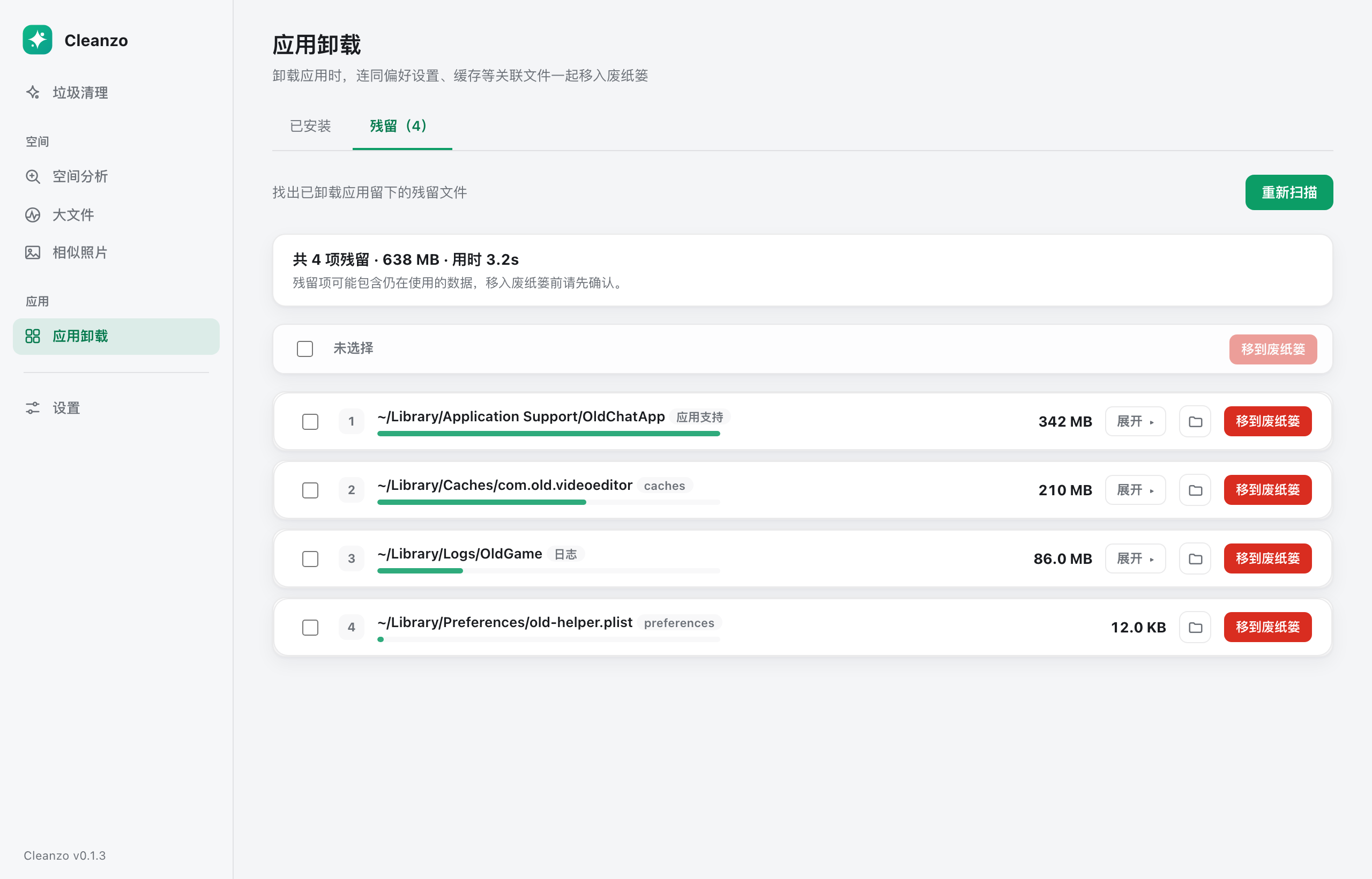
Uninstall & leftovers
Uninstall apps the drag-to-trash way, and sweep up the leftovers they scatter across preferences, caches and application support.
 点击放大
点击放大
 点击放大
点击放大
006 / 007
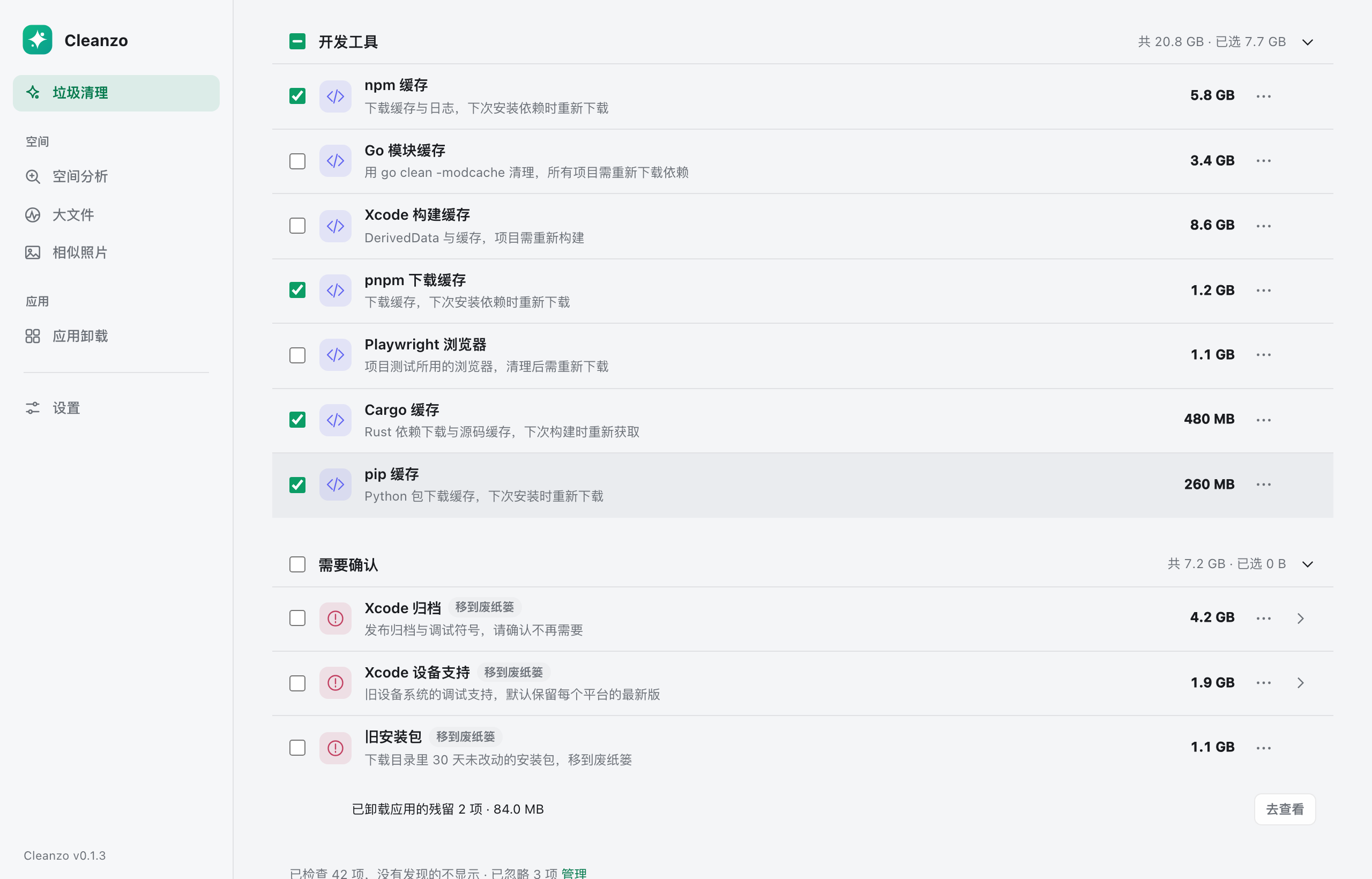
Dev-tool caches
Recognize the cache directories of npm, pnpm, Bun, Cargo, Go, Xcode and more — reclaim tens of GB in one click.
npmpnpmBunCargoGoXcode
 点击放大
点击放大
007 / 007
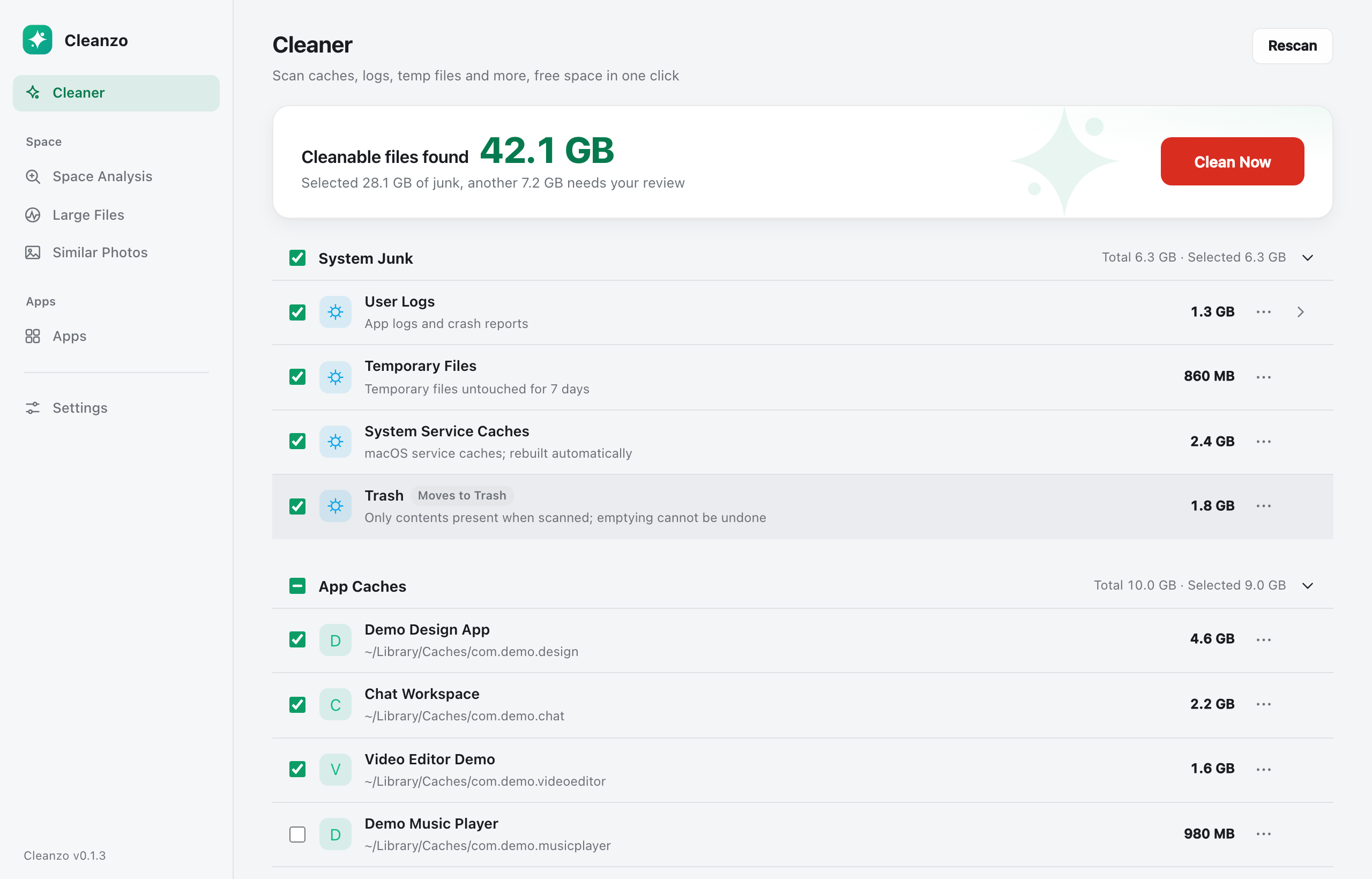
Localized UI
Full Chinese and English UI that follows your system language, with a manual override.
 点击放大
点击放大
Safety is the first feature
The hard part of a cleaner isn't deleting more — it's proving nothing in use gets deleted. Cleanzo builds that line into the implementation.
Only inside your home & temp dirs
Scanning is strictly limited to your home and temp directories — system paths and other users' data are out of reach.
Symlinks can't sneak past
Symlinks are resolved before deletion so the real destination stays inside the safe scope.
In-use files are skipped
lsof checks whether a file is held by a process — in-use files and running apps' caches are always skipped.
Personal files go to Trash
Confirmed junk is deleted; personal files go to the Trash so you can always undo.
App-managed libraries stay intact
Libraries managed by apps (like your photo library) are recognized as a whole — never picked apart.
Signed & notarized
The dmg is signed and notarized by Apple, so it passes Gatekeeper normally.